 Shibin Das
Drupal 4 min
AI Agents for Content Editors
Winning the Drupal AI Hackathon – Play to Impact 2026 - Part 2
AI Agents for Content Editors
Hackathon Demo Walkthrough,
Drupal AI Hackathon - Play to Impact: 2026 edition
Context: The Challenge We Accepted
At the Drupal AI Hackathon (Play to Impact 2026), we participated in
Challenge #1: AI Agents for Content Editors.
The core question was simple but powerful:
Can AI make life easier for content editors?
The challenge emphasized three key focus areas:
- Automation and workflow orchestration
- Data ethics and governance
- Human-in-the-loop collaboration
Rather than treating AI as a content creator, we focused on AI as a supporting assistant — helping editors validate, optimise, and maintain content quality at scale.
Our Approach (High Level)
Instead of using traditional ECA (Event-Condition-Action), we built our solution using FlowDrop, a visual workflow orchestration tool we are very comfortable with.
This allowed us to:
- Design AI-powered editorial workflows visually
- Orchestrate on-demand and scheduled validations
- Ensure nothing is written automatically without human approval
The result is a Drupal site that behaves like an intelligent content hub, working with editors — not instead of them.
Scenario A – On-Demand Content Validation
Target audience: Business & Content Teams
The Problem
Editors often need quick feedback:
- Is my content SEO-ready?
- Are metadata fields missing or weak?
- Does this content meet quality standards?
Doing this manually is slow and inconsistent.
The Solution
We added a custom “Validate” action directly to Drupal’s content listing.
From the editor’s perspective:
- Select a node
- Click Validate
- Receive AI-generated suggestions
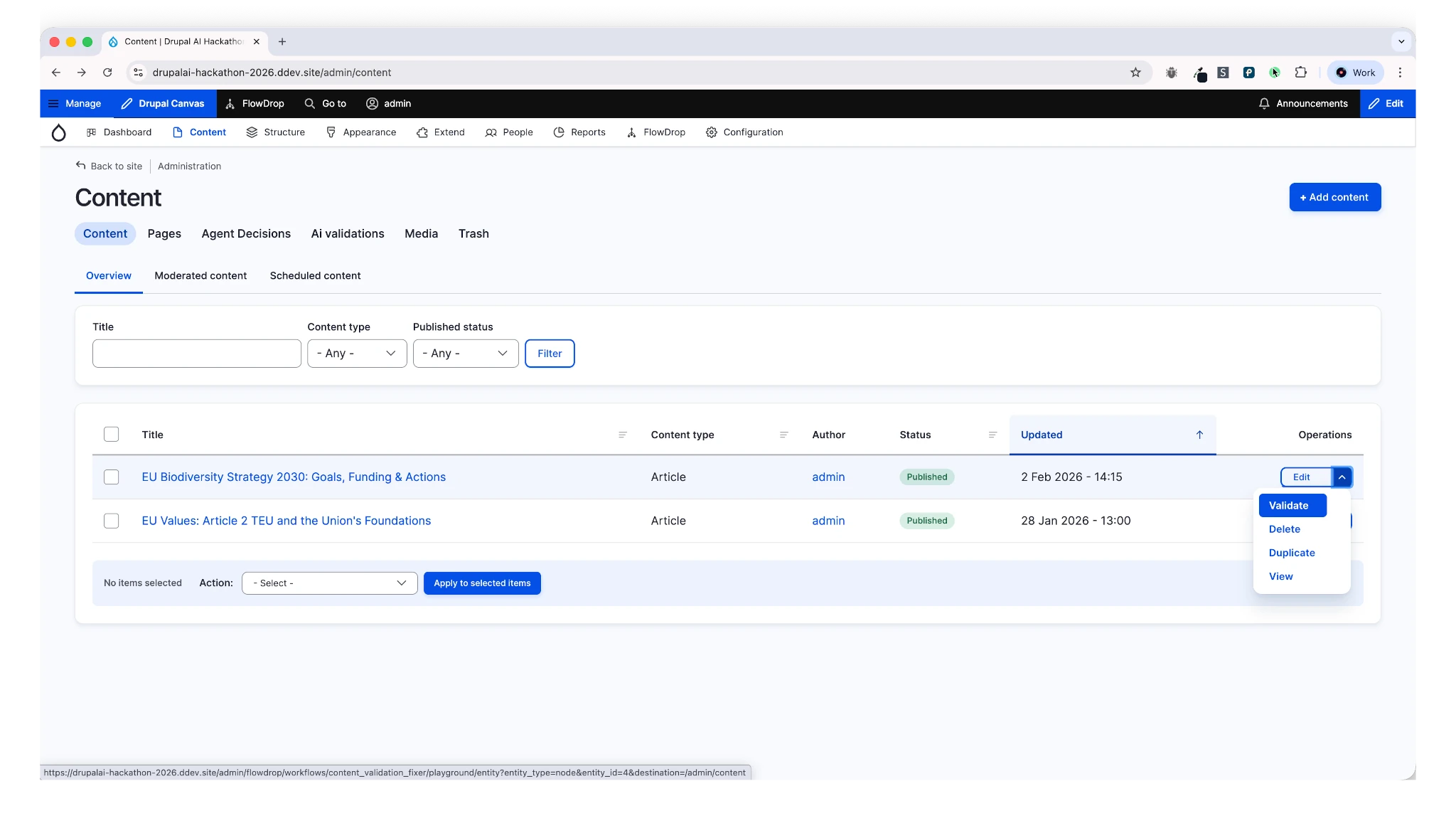 Figure 1: Content listing with custom Validate action
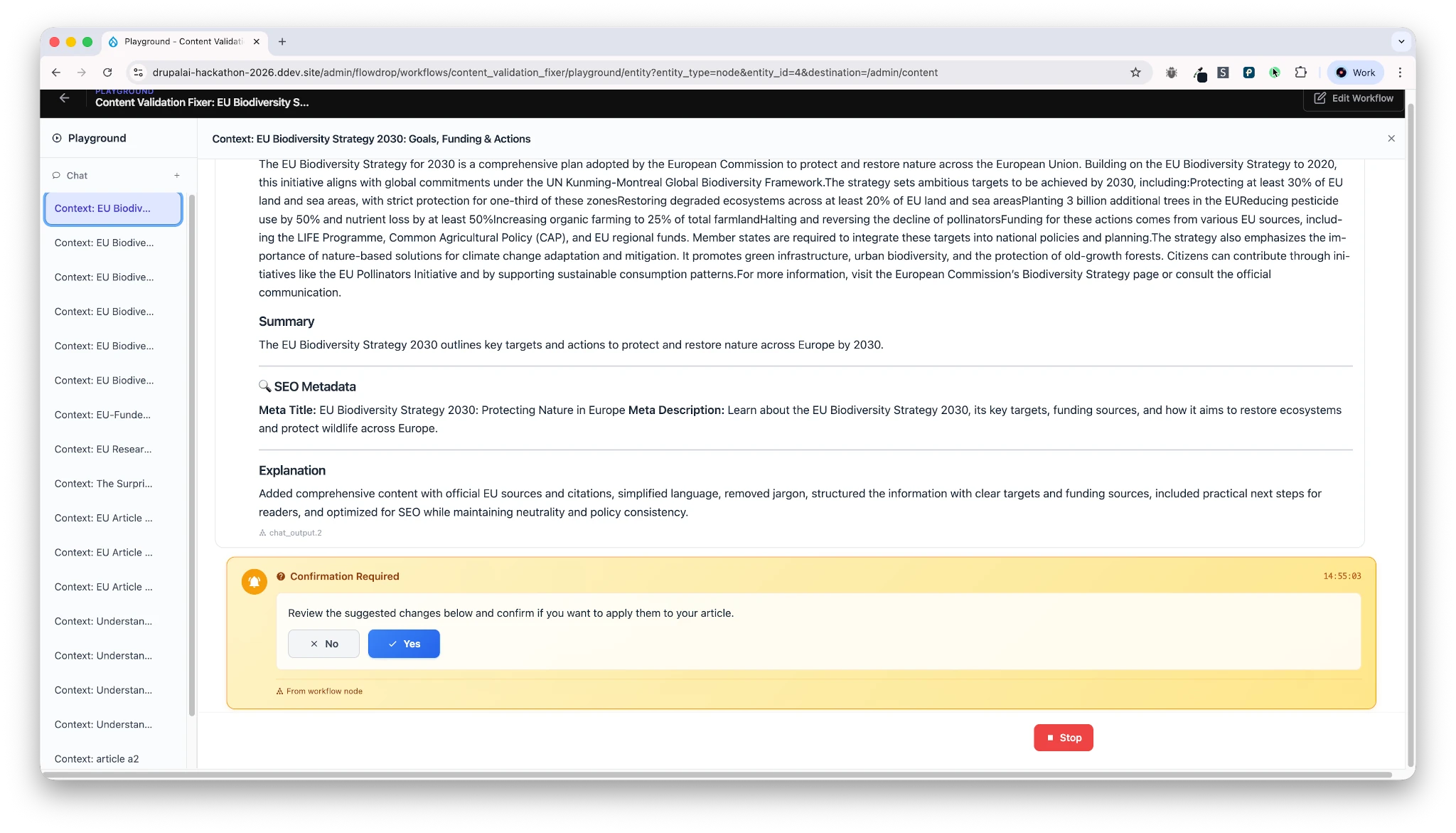 Figure 2: Select content and trigger validation. User is prompted to either accept/reject validation.
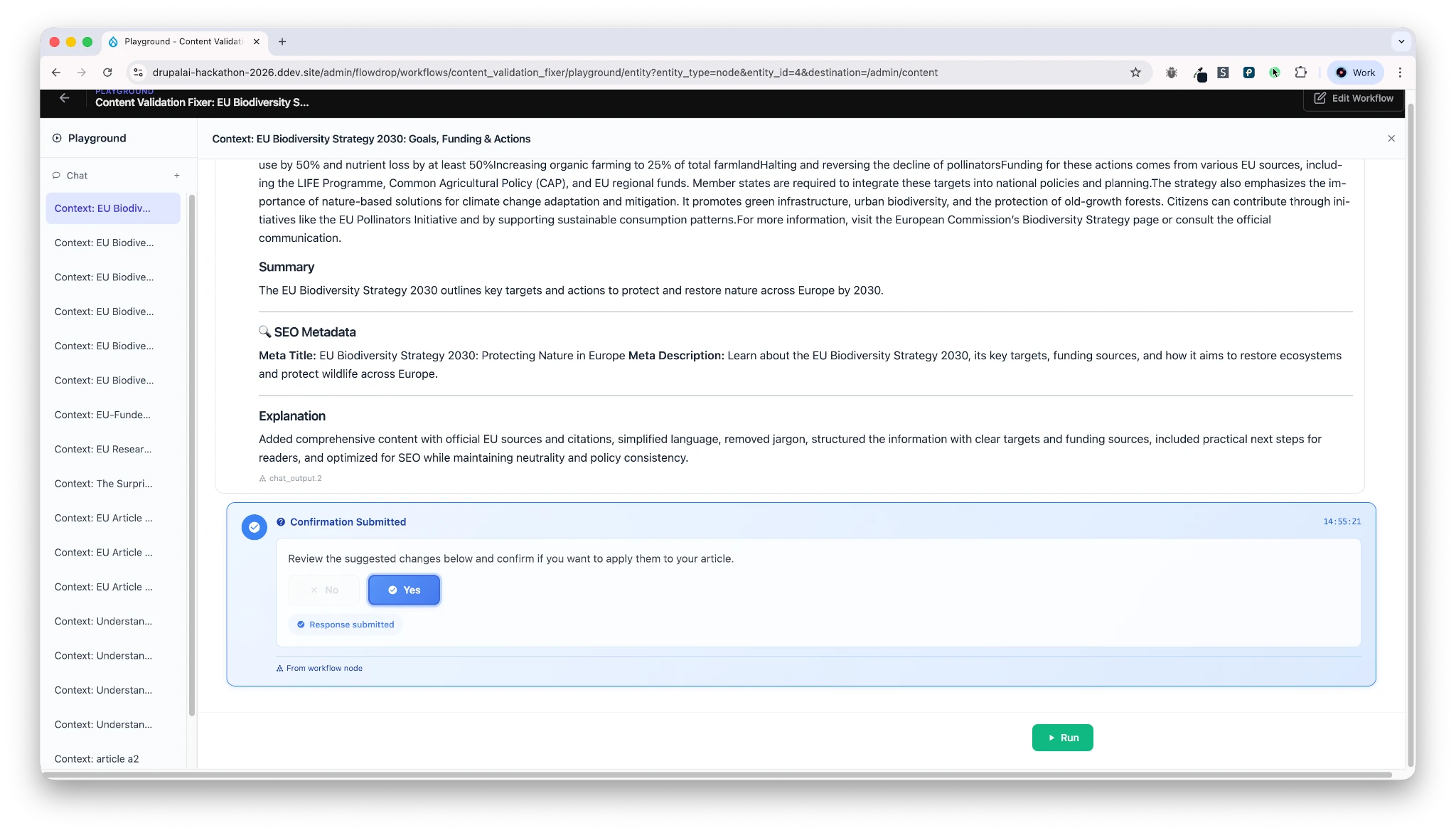 Figure 3: Review AI-generated suggestions before applying
What Happens Behind the Scenes
- The node’s content is sent to an AI validation agent (using Mistral AI, as required by the hackathon)
- The agent checks multiple fields (e.g. title, description, SEO metadata)
- If improvements are needed, suggestions are generated
Human-in-the-Loop by Design
Crucially:
- The content is not updated automatically
- The editor must explicitly accept or reject the suggestions
This ensures:
- Editorial control
- Trust in AI output
- Compliance with governance and ethics requirements
AI assists. Humans decide.
Scenario B – Scheduled Validation at Scale
Target audience: Business & Editorial Leads
The Problem
On-demand validation is useful — but editors shouldn’t have to:
- Wait for AI responses
- Retry validations multiple times
- Manually check hundreds of pages
The Solution
We introduced scheduled AI validations running via cron.
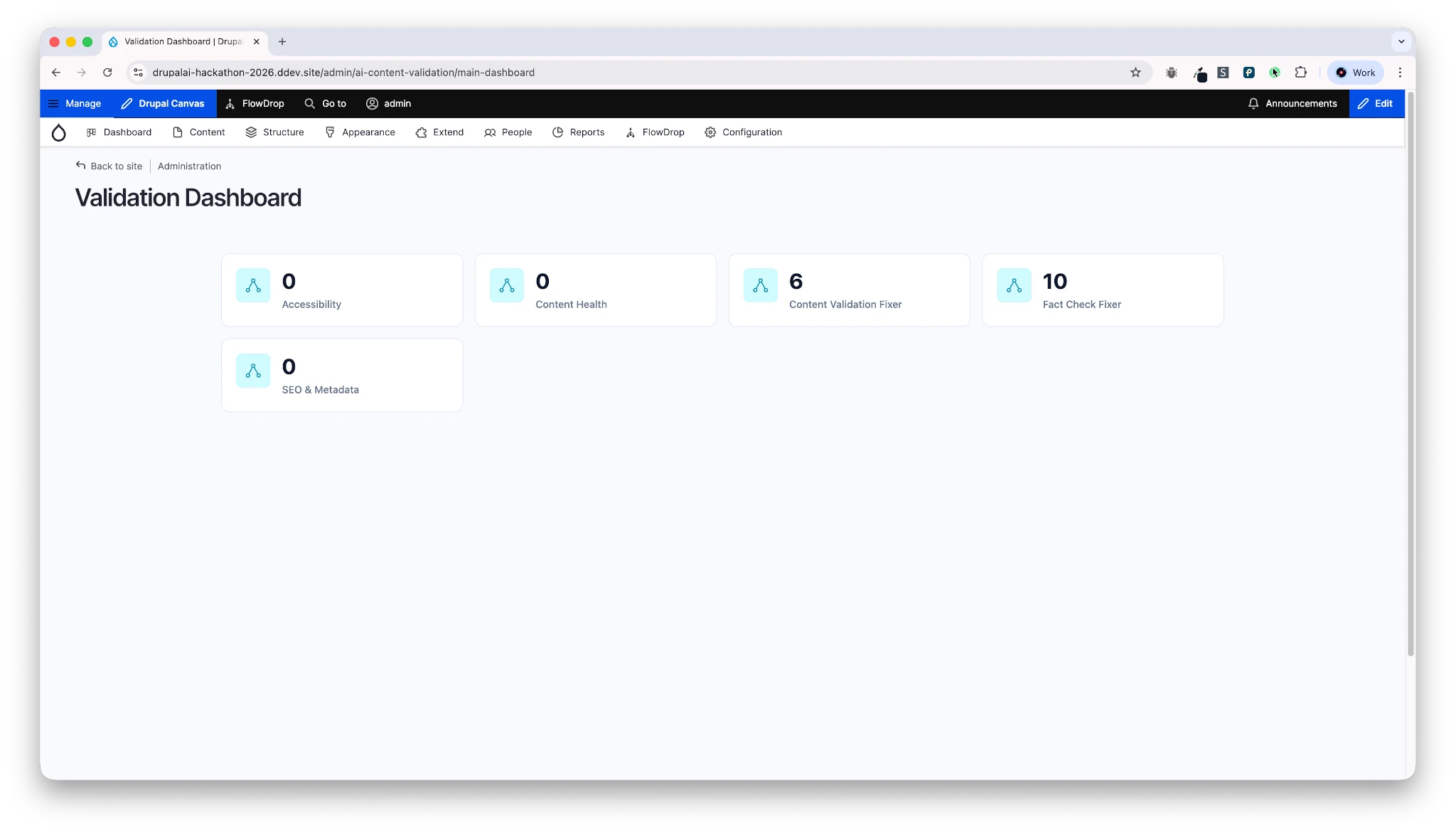 Figure 4: Configuring scheduled validations via cron
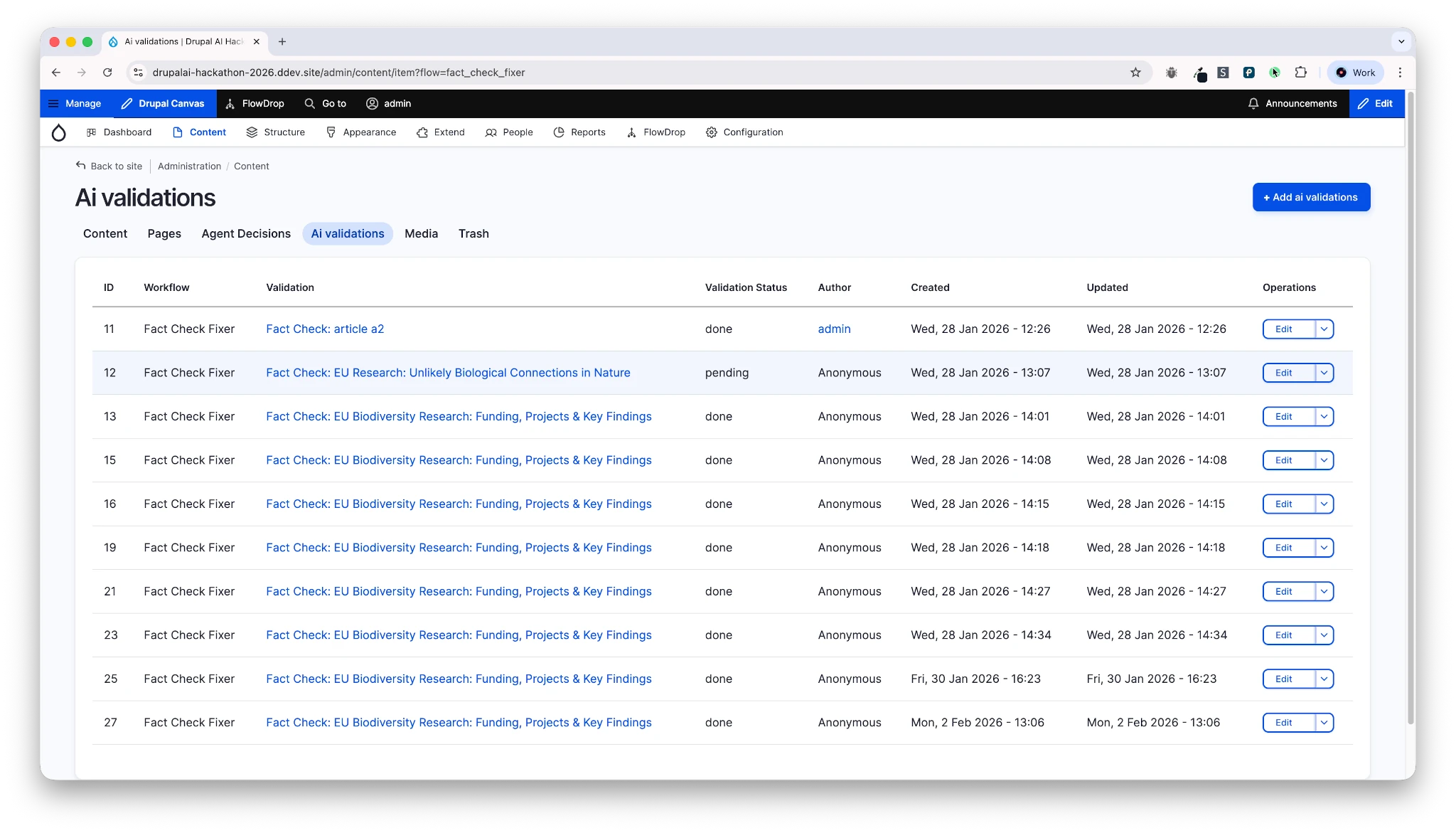 Figure 5: Automated background scanning in progress
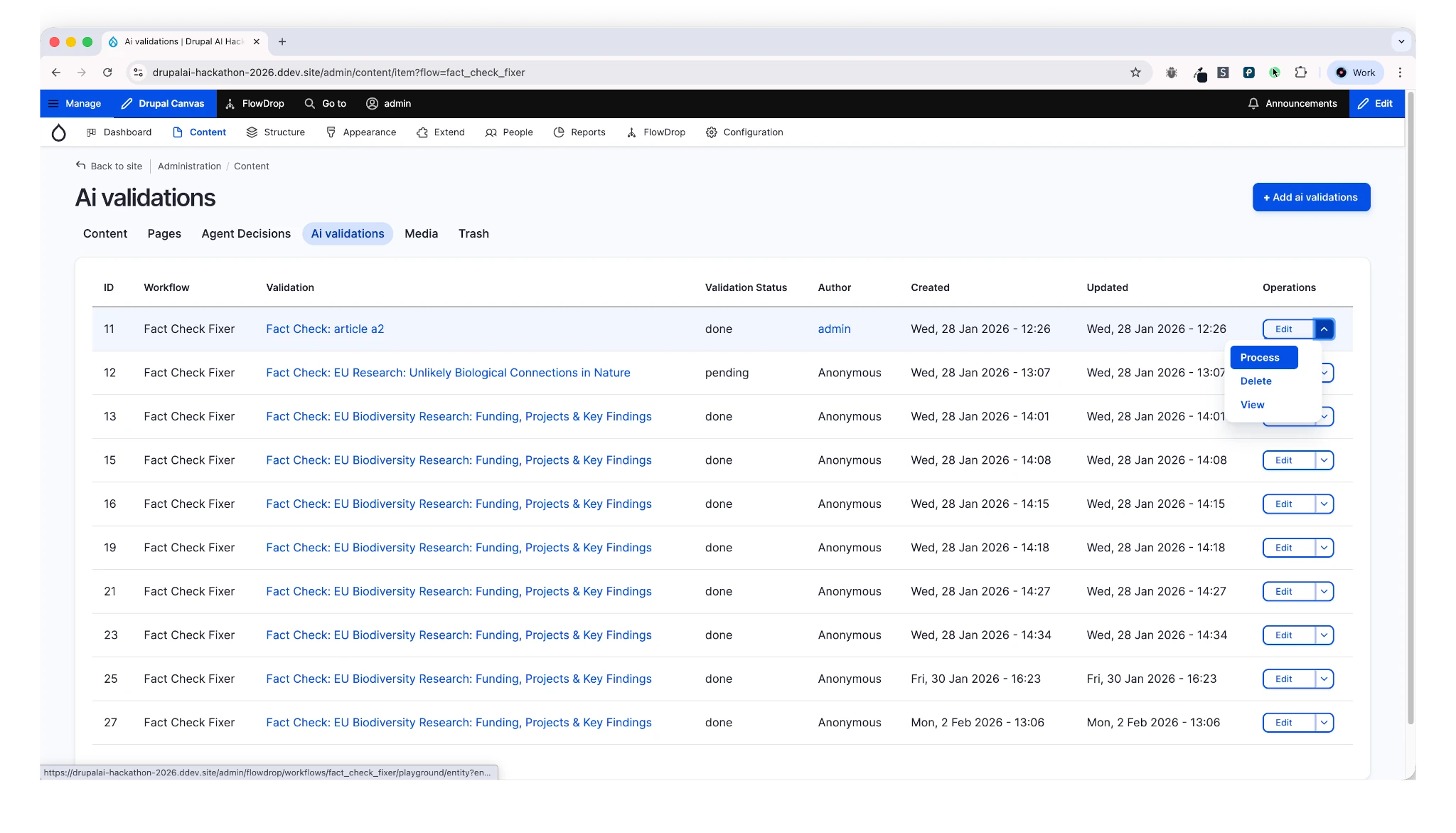 Figure 6: Dashboard showing content flagged for editorial review
How it works:
- All content is periodically scanned in the background
- AI detects potential issues (SEO, fact consistency, metadata quality)
- Violations are reported — not automatically fixed
Editorial Dashboard
Editors get a dedicated dashboard showing:
- Which content needs attention
- What type of issue was detected (e.g. fact check, SEO)
- A clear to-do list
Again:
- No content is changed without human approval
- Editors stay in control, but AI does the heavy lifting
Scenario C – Visual Workflow Orchestration
Target audience: Site Builders & Developers
This is where FlowDrop shines.
Workflow-Driven AI
All logic is built as visual workflows, for example:
- Fact checking workflows
- SEO metadata generation
- Quality scoring
- Scheduled batch processing
Example: Scheduled Validator Workflow
- Triggered by cron (every minute for demo purposes)
- Loads batches of content
- Processes each node in a loop
- Executes multiple AI validations per node
Each validation:
- Converts node data into structured prompts
- Requests JSON-based AI output
- Creates validation entities (to-do items)
- Waits for human confirmation before applying fixes
This makes the system:
- Modular
- Extensible
- Easy to reason about visually
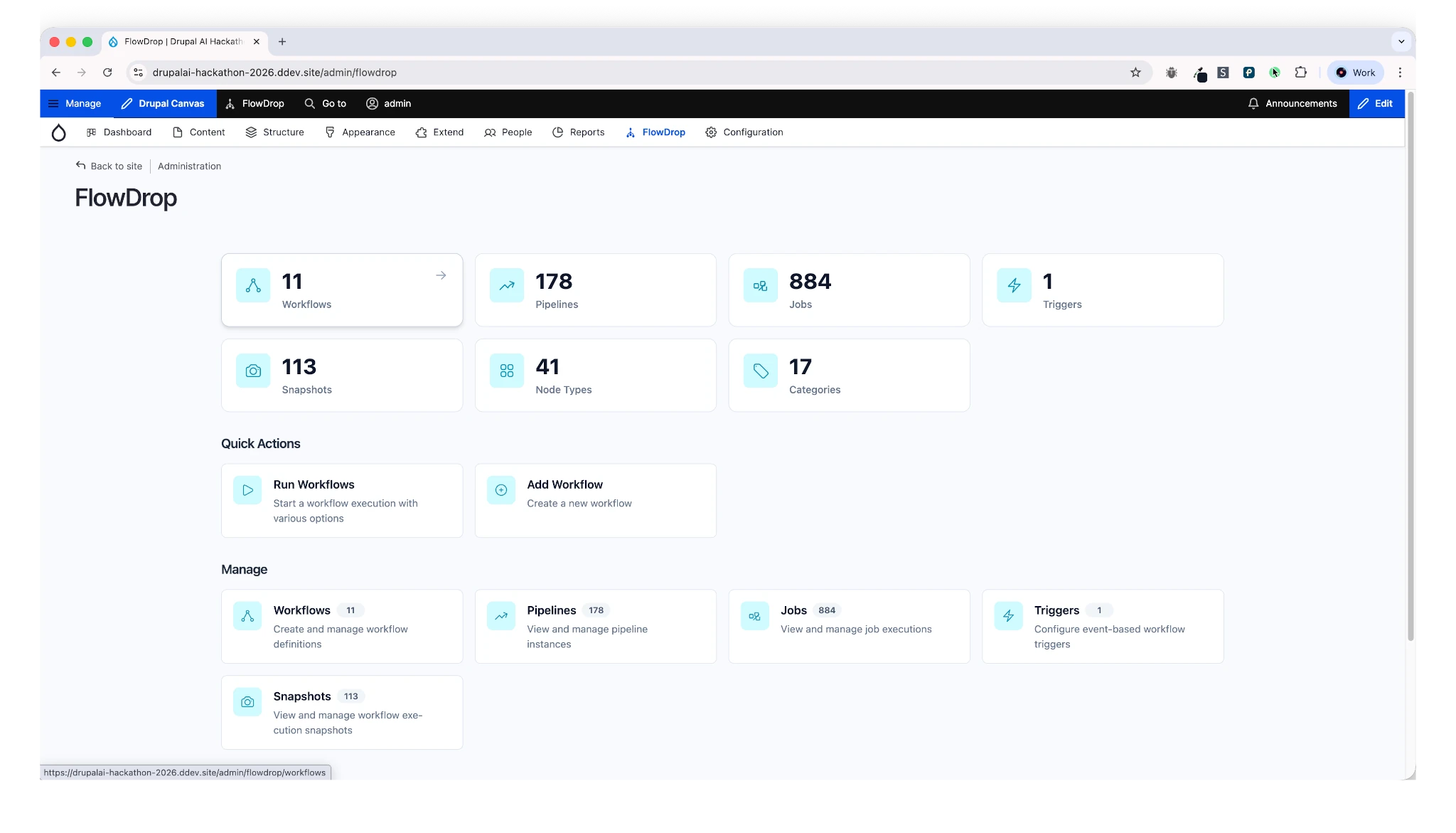 Figure 7: FlowDrop visual workflow canvas
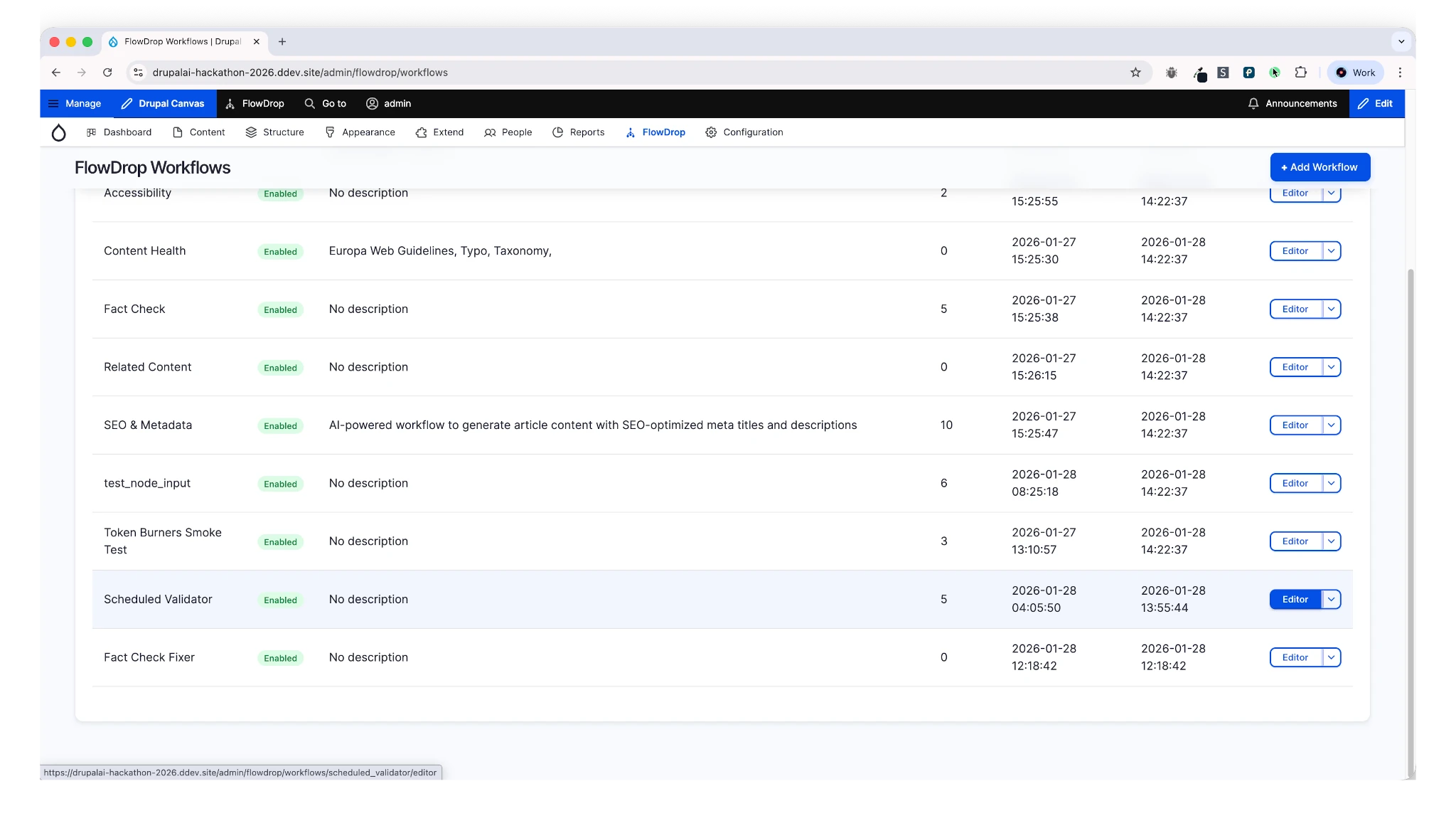 Figure 8: Cron-triggered batch validator workflow
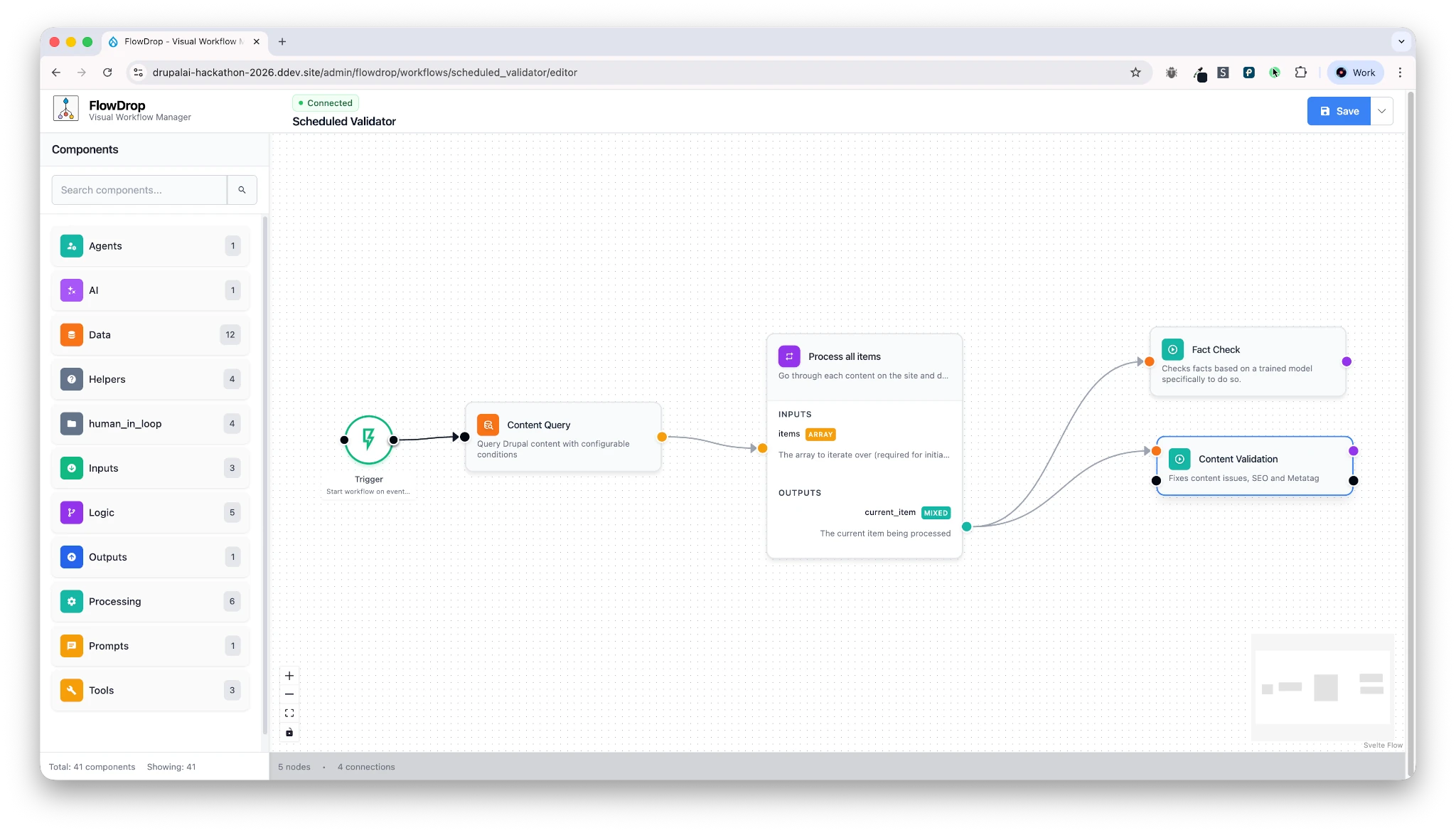 Figure 9: Configuring AI validation nodes
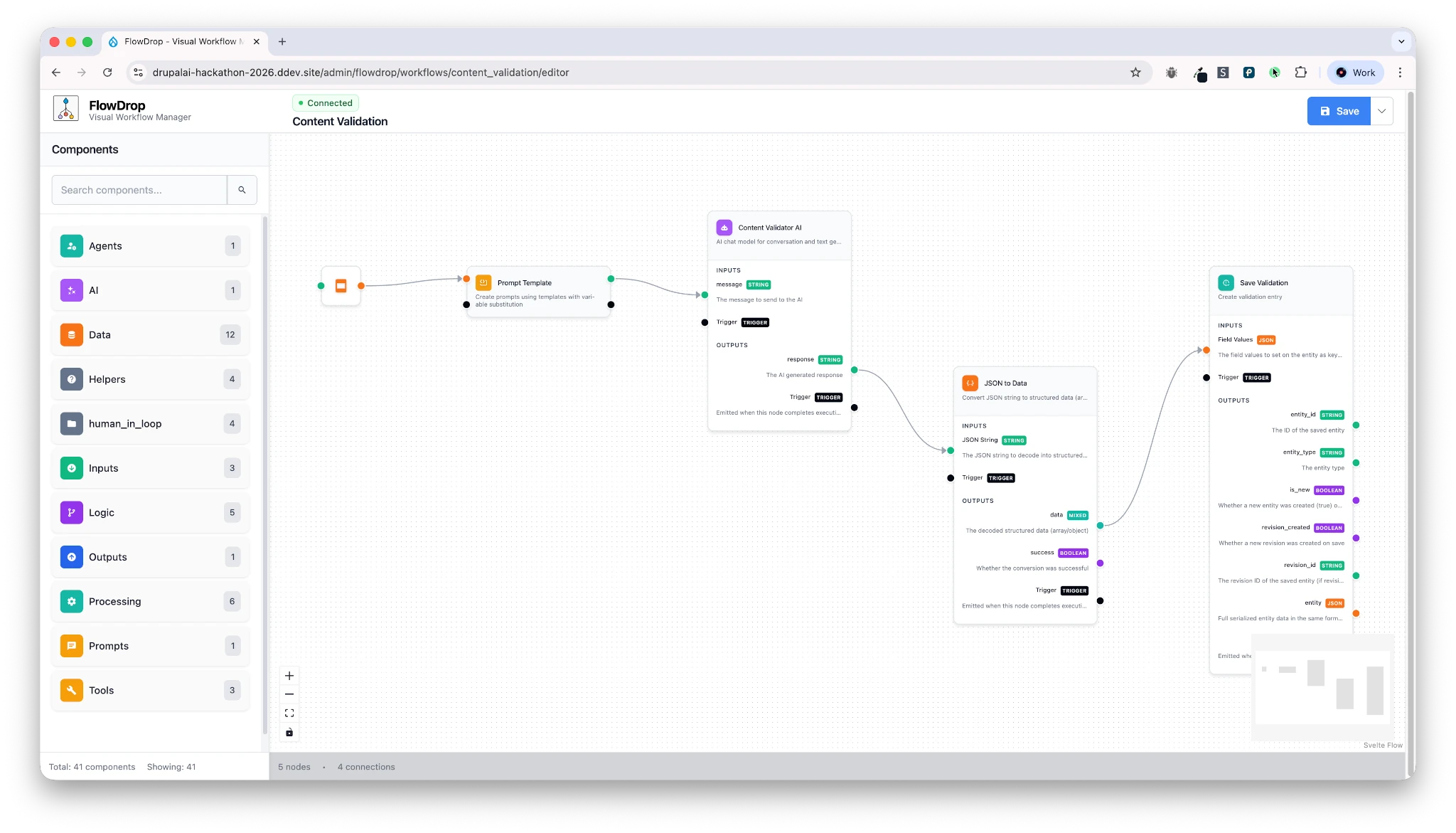 Figure 10: Loop logic for processing content batches
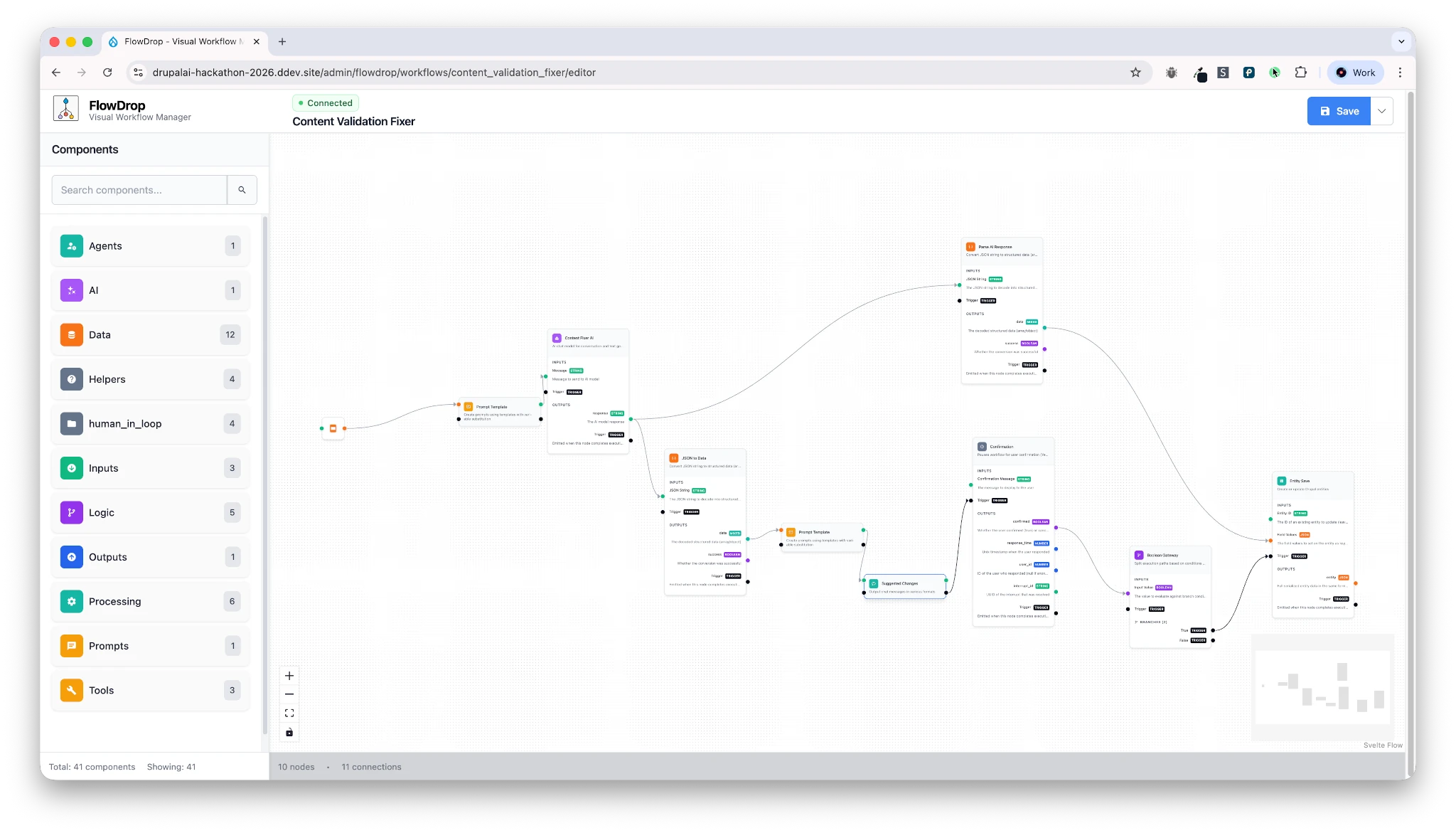 Figure 11: Complete workflow with human-in-the-loop approval
What We Built During the Hackathon
Target audience: Developers & Contributors
Not everything made it into the final demo — but the experimentation mattered.
Key Outcomes
-
Asynchronous human-in-the-loop support
- Interrupt workflows
- Resume later
- Allow approval by different users, at different times
-
FlowDrop AI Agents
- Use Drupal AI agents directly inside workflows
- Developed by my colleague David during the hackathon
-
Workflow-to-Workflow Calls
- One workflow can trigger another
- Enables clean orchestration and reuse
-
SEO Dashboard (Experimental)
- Custom-built during the hackathon
- Not open-sourced yet
- Can be contributed if there’s community interest
Open Source vs Business Logic
- Generic tooling → open-source candidates
- Business-specific workflows → configuration, not code
This keeps things:
- Flexible
- Maintainable
- Practical for real-world use
Key Takeaways
- AI is most powerful when it supports, not replaces, editors
- Human-in-the-loop is not optional — it’s essential
- Visual workflow orchestration makes AI understandable and governable
- Drupal can evolve into an intelligent editorial platform, not just a CMS
Keep reading
-
Drupal 5 min
What Started as a Bugfix: Revision Graph 4.0.0One ring drawn in the wrong place. Chasing it turned into a rewrite — because Drupal stores no parent pointer for revisions, and "parent" means three different things on a translated node.
-
Drupal 4 min
Winning the Drupal AI Hackathon – Play to Impact 2026Winning the Drupal AI Hackathon – Play to Impact 2026
-
Drupal 4 min
Visualizing Your Content's Evolution: A Content Creator's Guide to Revision Graph in DrupalUtilizing "Revision Graph" in Drupal to visualize Content's revision history